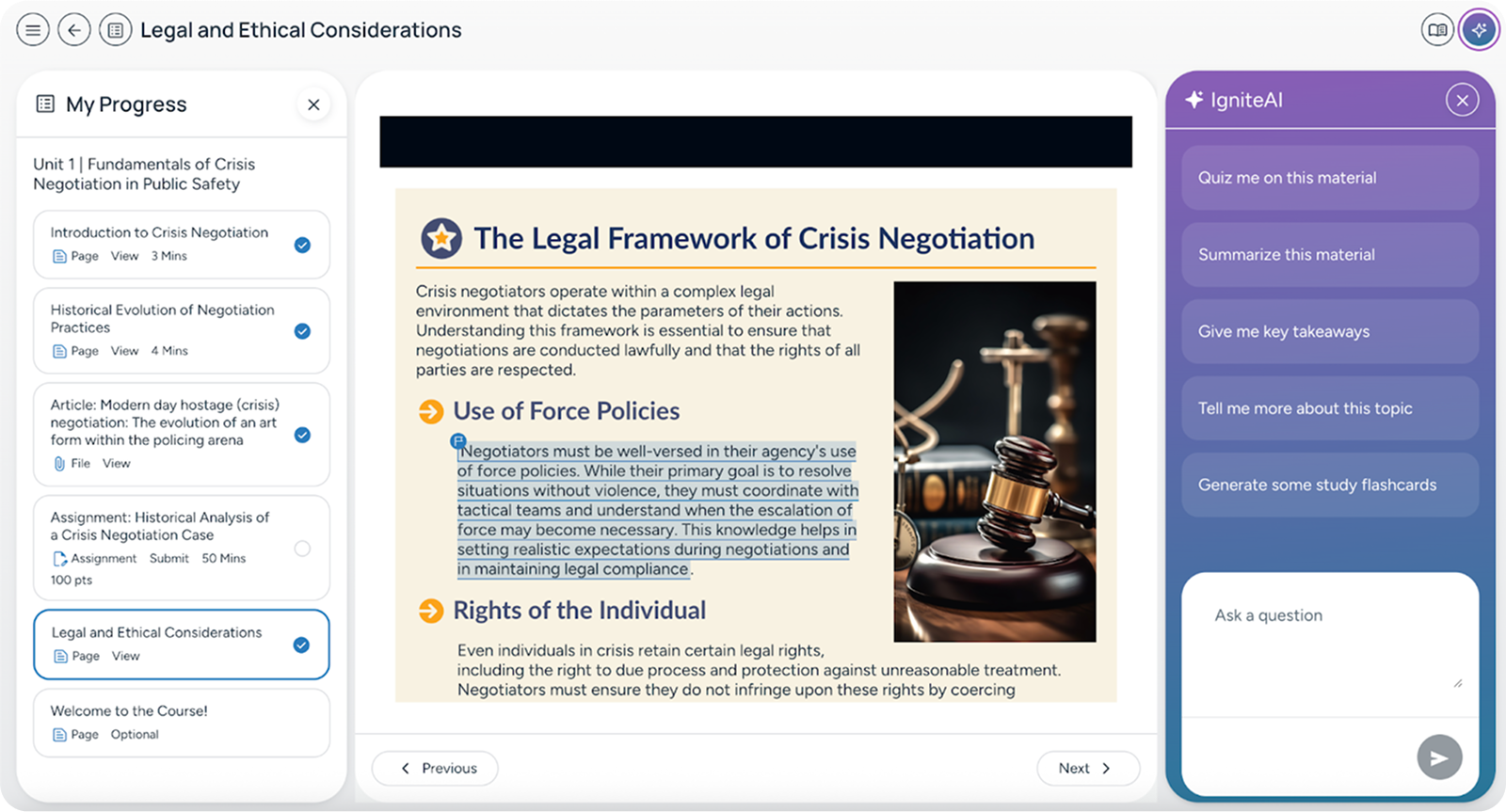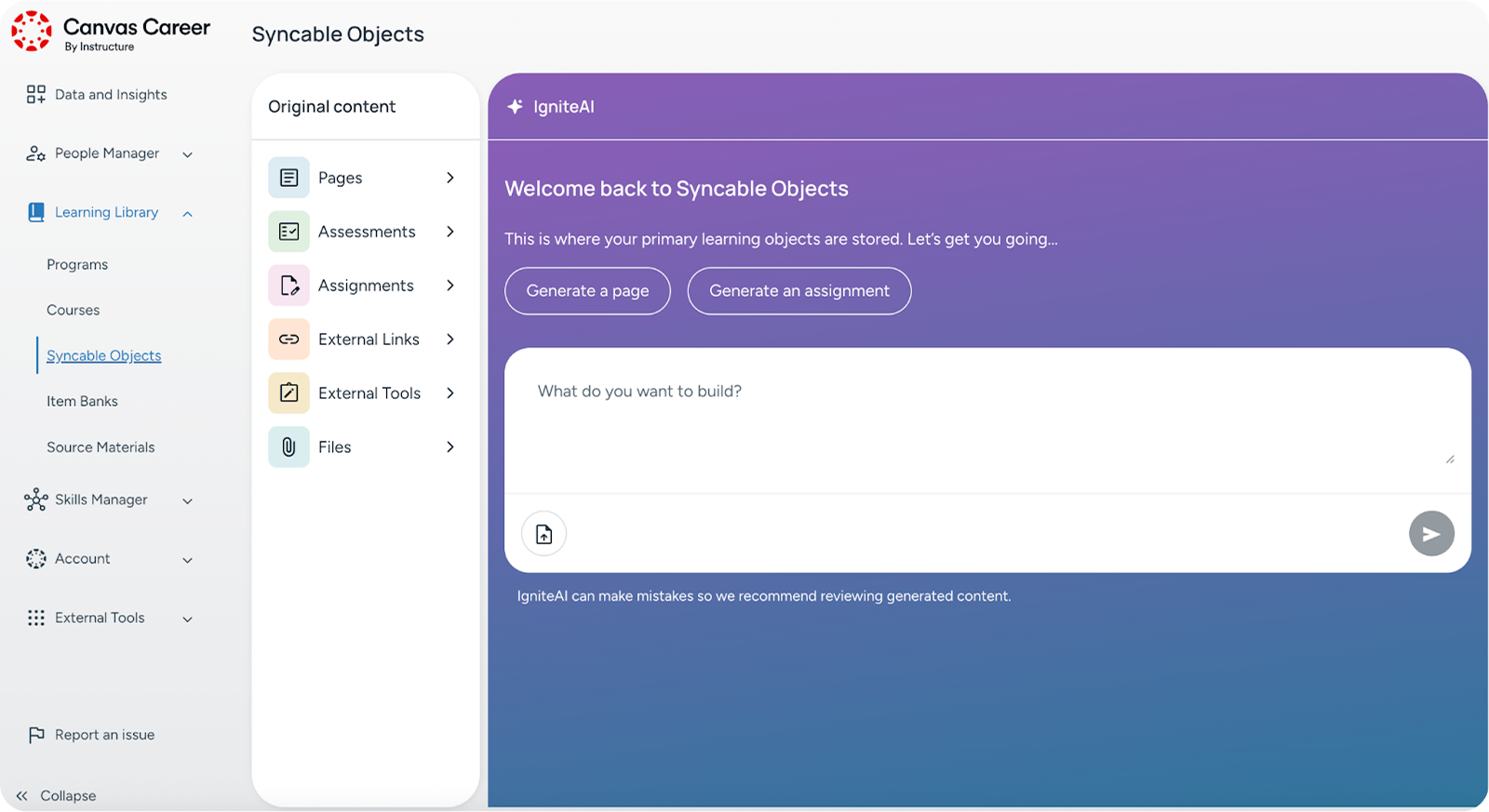
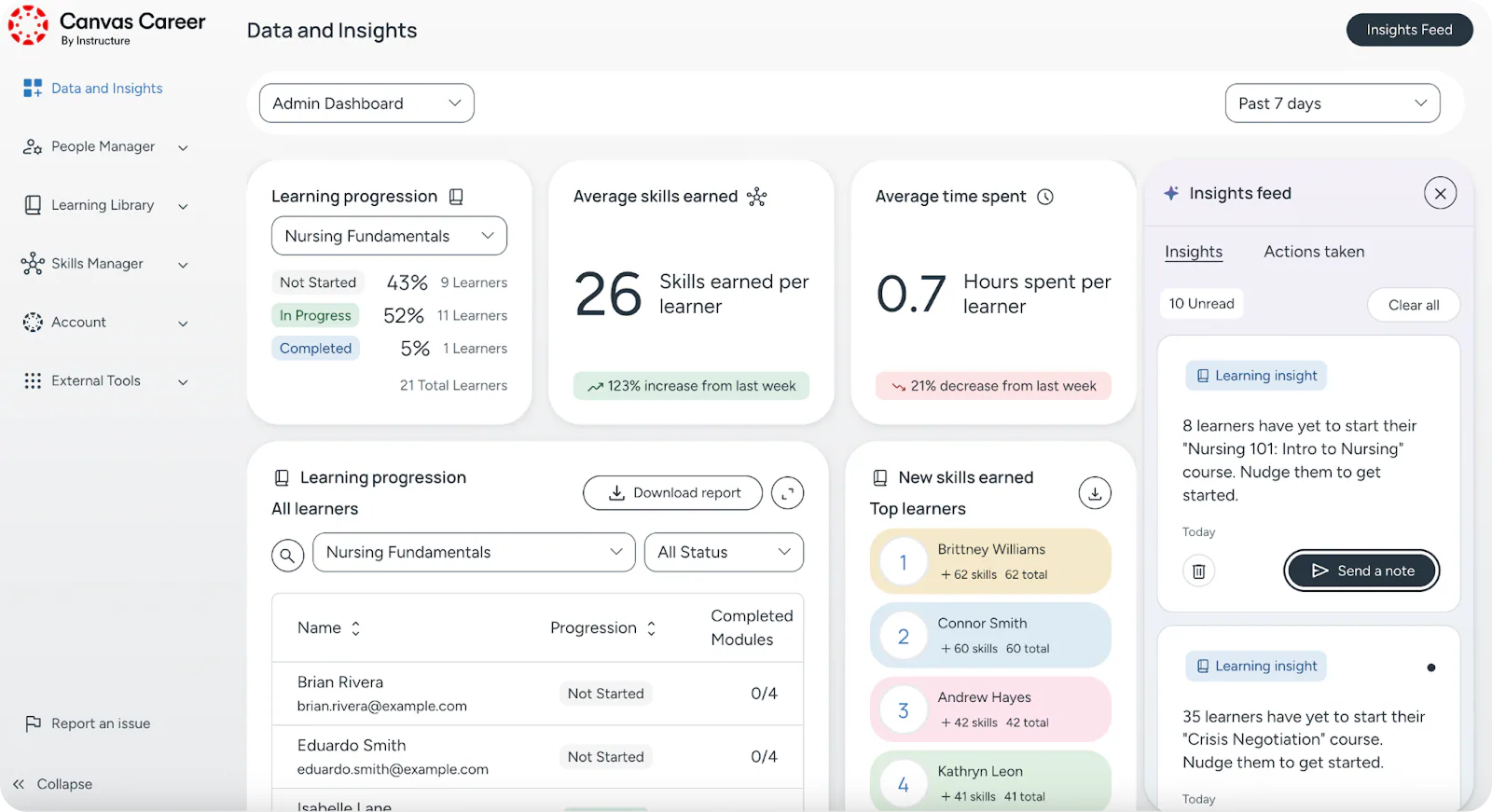
- Role
- End-to-end feature design lead
- Focus
- Explainable enterprise AI
- Period
- 2022–2025
- Delivery
- Concept through post-launch validation

Silent 47-second montage of Canvas Career, showing an AI-generated course preview, rule-based learner assignment, on-demand learner AI support, skill-based learning, smart course recommendations, and a data-and-insights dashboard for monitoring learning at scale.
Measurement note: Where quantitative outcomes are shown, they are rounded portfolio-reported project metrics and are not presented as independently audited company disclosures.
My Role & Mission
I led end-to-end feature development within the Canvas Catalog ecosystem, part of a product that several million people used every day, partnering with PMs and engineers from first concept through post-launch validation.
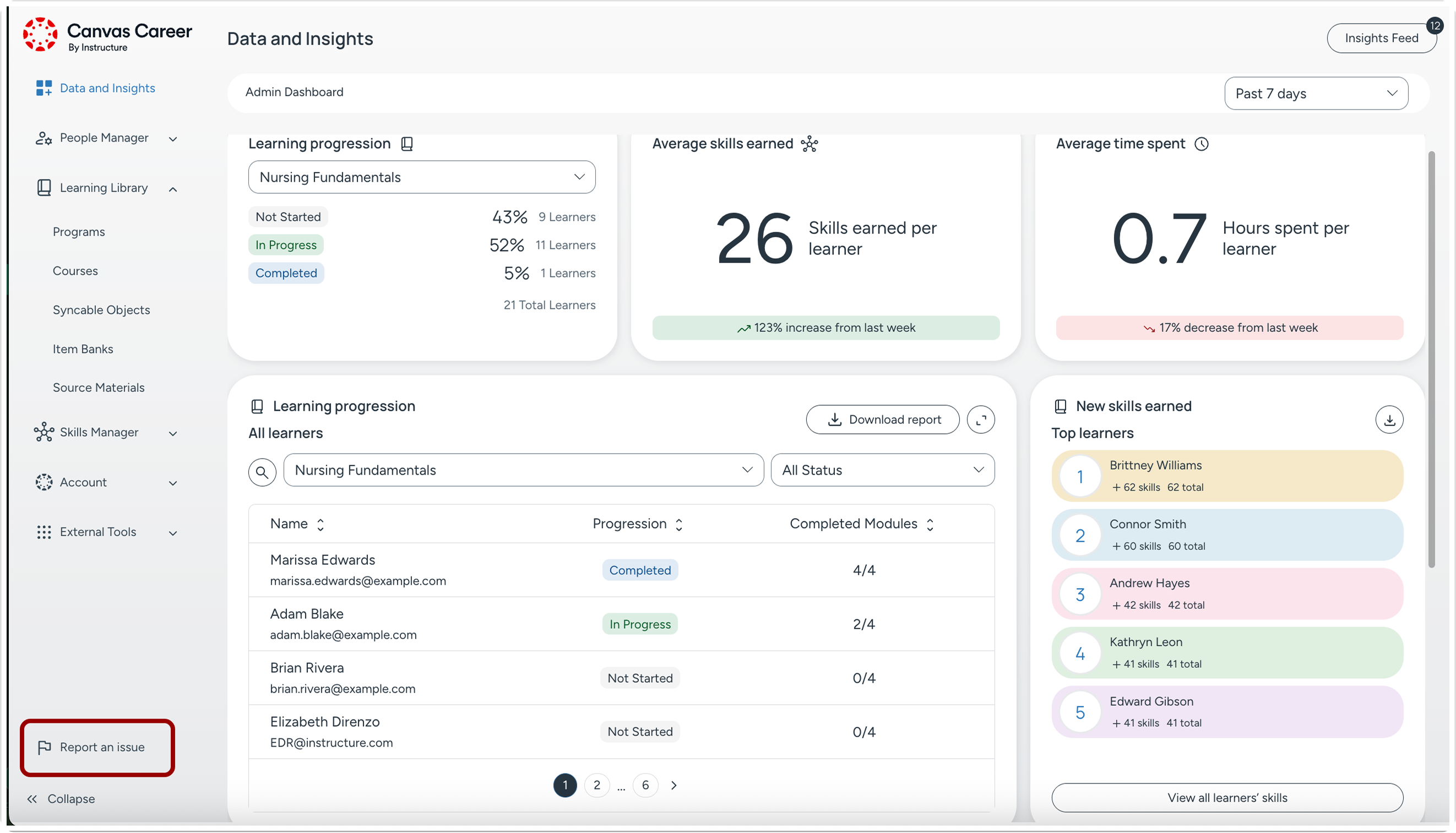
Challenges
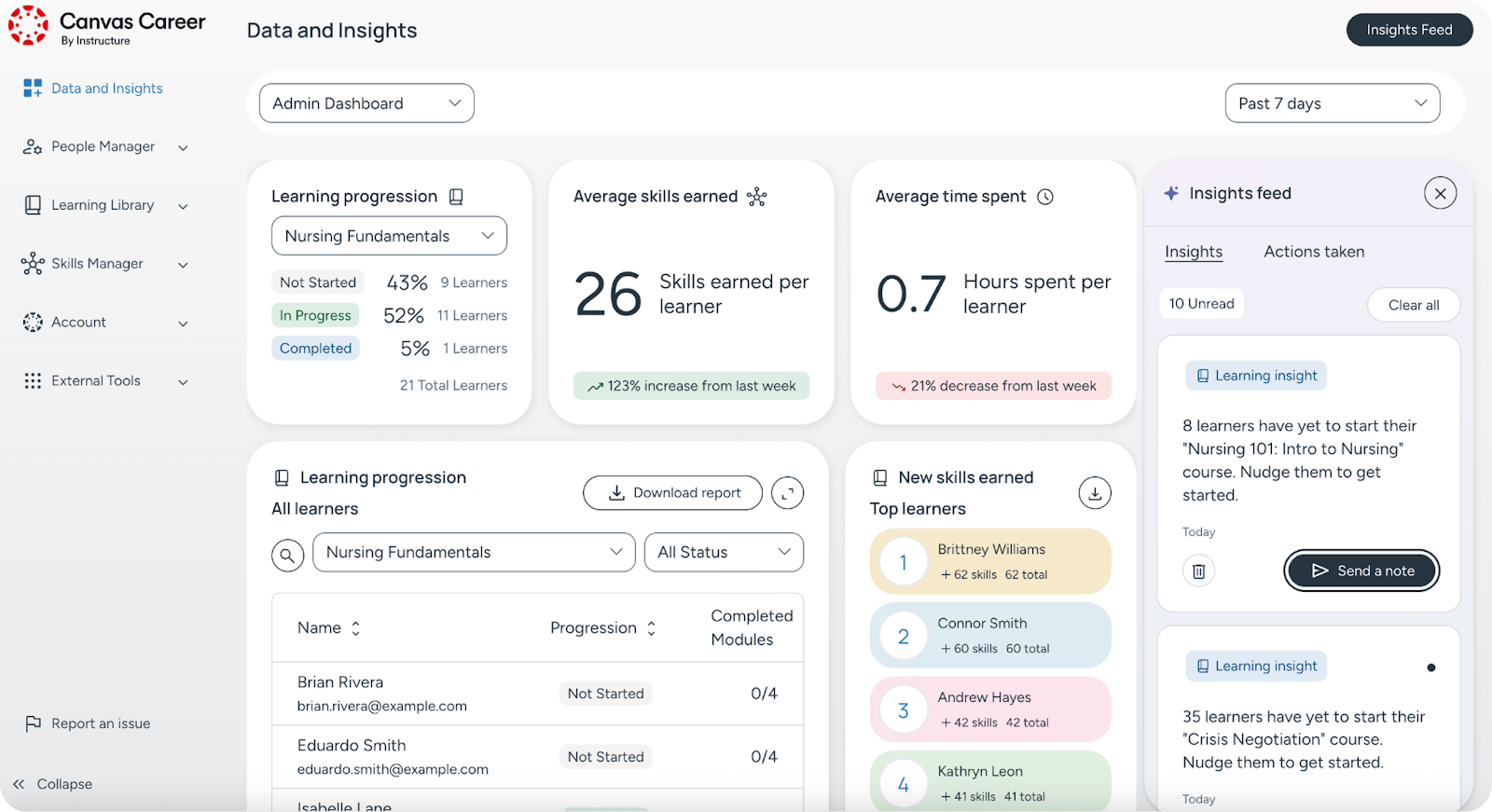
Operating at platform scale allowed no “black-box” behavior. Every AI suggestion needed to be explainable, editable, and auditable. Instructors were overwhelmed by static analytics dashboards that showed “what happened,” not “what to do next.” Accessibility and privacy requirements (higher ed, healthcare, public sector) constrained interaction patterns. The work had to land as consistent AI UX across products, with resilient state design (empty/error/loading/latency) and a rollout plan that avoided disruption during high-traffic usage.
The Process
We anchored use cases in Jobs to Be Done (e.g., draft an assignment, extract key takeaways, turn data into actions). Guardrails were set on day one: human-in-the-loop, clear AI labeling/disclosure, editable outputs, source cues, and recovery paths. Flows were co-reviewed with Legal/Compliance/Data Science, then codified into reusable patterns (prompts, review states, confirmations, feedback loops). Prototyping with Uizard/Galileo/Lovable shortened the cycle from concept to test. We instrumented adoption and completion and shipped features behind safe flags, so each iteration was based on what the data showed.
The prompt, review and recovery patterns in this project inform my AI integration and product development approach. I start with the task, define where people stay in control, and test the experience before a wider rollout.
Who We Designed For
- Instructors and admins who need actionable guidance, not raw charts
- Learners who benefit from clear, accessible feedback and materials
- Institutions with strict accessibility, privacy, and audit requirements
UX Methods & Why They Were Used
- Contextual inquiry & task shadowing: watching real classroom and admin workflows to find the moments where “AI help” is needed at all.
- JTBD & task mapping: kept scope on outcomes (draft, review, publish; insight to action) rather than features.
- Heuristic reviews & cognitive walkthroughs: early, low-cost checks for feedback, error prevention and safe defaults in AI flows.
- Rapid prototyping (low to high fidelity): compared prompt patterns, review states and disclosure models before build.
- Moderated usability tests: checked that AI guidance was understandable, editable and trusted (no “magic,” clear next steps).
- Accessibility reviews against WCAG 2.1 AA: keyboard flow, semantic structure and screen-reader clarity across the AI states in scope.
- Stakeholder co-reviews (Legal/Compliance/DS): aligned privacy, licensing, data retention and auditability from the outset.
- Instrumentation planning: made sure adoption, completion and user sentiment were measurable after launch.
Design Principles (AI UX)
- Explain, then suggest. Show the “why” behind suggestions (signals, sources).
- Human in control. Outputs are editable and reversible with clear review states.
- State clarity over surprise. Empty, loading, error, and latency states are explicit.
- One AI pattern, many contexts. Reusable prompt/review/confirm patterns across SKUs.
- Privacy by default. Data handling is disclosed; opt-outs and retention rules are visible.
- Accessible by design. Interactions were designed and tested toward WCAG 2.1 AA across keyboard and screen-reader workflows.
What Was Shipped
- AI pattern library (prompting, sources, review/confirm, feedback loops)
- Guardrail framework (human in the loop, editability, audit, recovery)
- Accessible component states (empty/error/loading/latency) across SKUs
- Design tokens & content guidelines for AI disclosures/help
- Instrumentation hooks and survey triggers for ongoing evaluation
Reflections & Trade-offs
Most AI projects start by asking what can be automated. We started by asking what must stay human.
We could have gone all-in on automation and had spectacular demos. But education, public sector and healthcare customers don’t buy demos; they buy trust. So we drew a hard line. Every AI suggestion had a label, an edit state and a way to back out, and nothing the model decided was allowed to stay invisible.
The messy part was ethical rather than technical. We had to design for the failure modes: the AI being wrong, biased or misused. Rather than pretend those cases would not happen, we mapped them and built flows around them. Data Science, Legal and Compliance were not blockers at the end; they wrote the guardrails with us from the start.
None of this makes for a flashy slide deck. It does make for AI that real institutions can roll out to millions of people and still sleep at night, and that is the product thinking I brought to it.